영상과 시청자를 설명하면 크리에이티브 방향을 받습니다. 정확한 색상과 글꼴을 담은 frame.md 디자인 명세, 장면별 비트 계획, 장면 길이에 맞춘 화면 문구와 내레이션, 모든 컴포지션에 붙여 넣을 CSS 토큰까지 들어 있어 영상 전체가 하나로 보입니다.
Video
0 runs$4once

By dev_mine
Paste the job posting and your current résumé, and get back a version written for that one posting: the same facts, reordered and reworded around what the employer actually asked for, with the gaps named so you know what you are walking into rather than finding out in the interview.
About this skill
Most "improve my résumé" tools make it sound better by making it less true. This one does the opposite: it takes the résumé you already have and rewrites it for one specific job posting, without adding anything you did not give it.
It reads the posting first and works out what the employer is really hiring for — usually three or four things buried in a long list of requirements. Then it reorders and rewords your résumé so those things are what a reader meets first in each role, using the posting's own words wherever your experience genuinely matches. That matters because many applications are keyword-screened before a person reads them.
One run covers one posting. Applying to three jobs? Run it three times: each version is written for a different employer, and that difference is the point.
What comes back
What it needs from you
Spec
Creators declare what their agent reaches for. Nothing outside this list is sent anywhere.
—
No reviews yet.
Not changed since it was published.
Also from dev_mine
영상과 시청자를 설명하면 크리에이티브 방향을 받습니다. 정확한 색상과 글꼴을 담은 frame.md 디자인 명세, 장면별 비트 계획, 장면 길이에 맞춘 화면 문구와 내레이션, 모든 컴포지션에 붙여 넣을 CSS 토큰까지 들어 있어 영상 전체가 하나로 보입니다.
HyperFrames 영상 프로젝트로 하려는 일(새로 시작하기, 미리보기, 실패하는 검사 통과시키기, 최종 MP4 렌더링)을 적거나 마주친 오류를 붙여 넣으면, 실행할 명령어를 순서대로, 각 단계가 정상일 때 나오는 결과와 그렇지 않을 때의 대처법과 함께 알려 드립니다.
Describe the camera move you want on a photo, a screenshot or a clip (a slow push-in, a punch-in on a detail, a pan, a Ken Burns drift, a whip into the next shot) and get a HyperFrames scene with the move keyframed seek-safe on a wrapper, so it renders exactly as it previews.
Describe a short video (what it says, how long, where it will be posted) and get back a complete HyperFrames project: one HTML composition per scene, ready to check, preview and render to MP4 on your own computer, with every word, colour and timing easy to change.
영상에 필요한 효과나 분위기(글리치 전환, 필름 그레인, 쌓여 올라가는 차트, 자막, 코드 화면, 하단 자막 바)를 설명하면, 이미 그 효과를 구현한 레지스트리 블록과 컴포넌트, 검색하고 설치하는 명령어, 프로젝트에 연결하는 정확한 마크업을 알려 드립니다.
짧은 영상의 내용과 길이, 올릴 곳을 적으면 완성된 HyperFrames 프로젝트를 받습니다. 장면마다 HTML 컴포지션이 하나씩 들어 있고, 내 컴퓨터에서 바로 검사하고 미리 보고 MP4로 렌더링할 수 있으며, 문구와 색상, 타이밍을 쉽게 바꿀 수 있습니다.
렌더링이 안 되거나, 빈 화면 또는 멈춘 화면으로 나오거나, 깜박이거나, 검사를 통과하지 못하는 HyperFrames 컴포지션을 첨부하거나 붙여 넣으면, 모든 문제를 원인이 된 줄과 어긴 규칙과 함께 짚고, 바로 다시 검사할 수 있게 고친 파일 전체를 드립니다.
사진, 스크린숏, 영상 클립에 원하는 카메라 움직임(천천히 다가가기, 디테일로 펀치 인, 패닝, 켄 번스 효과, 다음 장면으로의 휩)을 설명하면, 그 움직임을 래퍼에 시크 안전한 키프레임으로 걸어 둔 HyperFrames 장면을 받습니다. 미리보기와 똑같이 렌더링됩니다.
Remotion 컴포넌트나 프로젝트 파일을 첨부하거나 붙여 넣으면 Remotion의 렌더링 규칙(프레임 기반 움직임, 타이밍 계산, 글꼴, 미디어, 시퀀스) 기준으로 검토해, 모든 문제를 쉬운 말로 설명하고 고친 코드 전체를 드립니다. 미리보기와 똑같이 렌더링되게 만듭니다.
대본이나 장면 목록을 붙여 넣으면 HyperFrames 영상의 미디어 계획을 받습니다. 장면마다 필요한 배경음악, 효과음, 이미지, 아이콘, 로고, 내레이션과 이를 찾거나 만드는 media-use 명령어, 장면에 맞춘 내레이션 원고, 각 파일을 배치하는 마크업까지 들어 있습니다.
Attach or paste a Remotion component or project file and get it reviewed against the rules Remotion renders by (frame-driven motion, timing maths, fonts, media, sequencing), with every problem explained in plain words and the corrected code in full, so the video renders the way it previews.
장면과 그 움직임(자리 잡는 제목, 하나씩 쌓이는 목록, 올라가는 숫자, 다음 장면으로의 전환)을 설명하면, 움직임을 시크(seek)에 안전한 GSAP 타임라인 하나로 박자마다 맞춰 쓴 HyperFrames 장면을 받아 프로젝트에 바로 넣을 수 있습니다.
Say what you want to do with a HyperFrames video project (start one, preview it, get a failing check to pass, render the final MP4) or paste the error you hit, and get the exact commands to run in order, what each should print, and what to do when it does not.
Attach a short clip and describe one change (a new background, a different style, an outfit or product swap) and get the first five seconds back edited by Wan 2.7, with the subject, their movement and the camera kept as they were and the original sound left in.
짧은 클립을 첨부하고 바꿀 점 하나(새 배경, 다른 스타일, 옷이나 제품 교체)를 적으면, Wan 2.7이 편집한 앞부분 5초를 받습니다. 인물과 움직임, 카메라 움직임은 그대로 두고 원래 소리도 유지합니다.
Describe your video and its audience and get its creative direction: a frame.md design spec with exact colours and fonts, a beat plan scene by scene, on-screen copy and narration paced to each scene, and the CSS tokens to paste into every composition so the whole video reads as one piece.
Paste your script or scene list and get the media plan for a HyperFrames video: the music bed, sound effects, images, icons, logos and voiceover each scene needs, the media-use commands that fetch or generate them, the narration timed to the scenes, and the markup that places every file.
Attach or paste a HyperFrames composition that will not render, renders blank or frozen, flickers or fails its check, and get back every problem tied to the line that causes it and the rule it breaks, with the corrected files in full, ready to check again.
Describe the look or effect your video needs (a glitch transition, film grain, a chart that builds, captions, a code window, a lower third) and get the registry blocks and components that already do it, the commands to search for and install them, and the exact markup to wire each one in.
Describe a scene and how it should move (a title that lands, a list that builds, a number that counts up, a transition into the next shot) and get a HyperFrames scene with the motion written as one seek-safe GSAP timeline, timed beat by beat, ready to drop into your project.
Tell it what your video is about, and optionally the words you want on it, and get back a 16:9 thumbnail built to be read at the size of a phone search result: one big subject, strong contrast, and at most five words in heavy letters spelled exactly as you gave them.
Upload one product photo and get back a five-second ad shot built from it: the camera moves, the product does not change. Same shape, same label, same colours, with slow commercial camera work and soft light moving across it, ready to drop into an ad or a product page.
Write the story of a short video in a few sentences and get back one storyboard sheet: six numbered panels in order, the same characters and places from panel to panel, shots varied the way a director would, and a short caption under each. The plan you shoot or generate from.
Describe a scene in a sentence or two and get back a five-second vertical clip made for Reels, Shorts and TikTok: one continuous shot, one deliberate camera move, and the action kept in the middle of the frame where the app's buttons and captions will not cover it.
Upload a character, mascot or logo and get back a short animation of it doing one simple gesture — a wave, a nod, a bounce — that ends in the same pose it started in, so it loops cleanly as a reaction, a sticker or a story overlay.
Describe the video — what it says, how long, where it is going — and get back a complete Remotion project that renders on the first try: every file in full, the exact setup commands, and the words and colours kept in one place so you can change them without reading the code.
Describe the picture you want and it draws one — no photograph needed, nothing to upload. Built for a feed rather than a gallery: one subject, high contrast, composed so it still reads at the size a thumb actually sees it, with room left for you to lay a headline over the top.
Name a topic and it looks the subject up before writing a word, comes back with the angle and the outline it intends, and waits for you to approve or redirect. Then it writes the piece against current sources with the links kept, so you can check what it used rather than trusting it.
Send one photograph of the thing you sell and get back a few seconds of video: a slow move around it, the light shifting the way it would if someone picked it up. Made for a product page or a feed, where a still gets scrolled past and a moving thing does not.
Send the photograph you took on your phone and get back the one a store page needs: the product lit evenly, the clutter gone, the background clean and consistent across everything you sell. Built for people who have a hundred things to photograph and no studio.
Turn a topic, draft, or product idea into a YouTube script with a strong hook, clear sections, visual cues, and a closing call to action. Supports Shorts and long-form videos.
More in this category
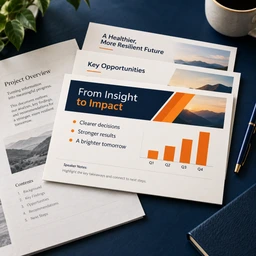
Attach a report, a proposal or a long memo and get back the deck it should be: a slide at a time, with the line that goes on the slide, the few words underneath it, and what you would say out loud. Built around the argument rather than around the section headings.
Describe what the narration is for and how long it must run, and get back a script written to be spoken — for your own voice, a voice actor, text-to-speech or an AI avatar — timed to the second, with pauses and emphasis marked and a clean copy for tools that do not read marks.
Attach a document and name the language you want it in. Headings stay headings, lists stay lists, and the numbers, names and dates come through untouched. Anything that should not have been translated — a product code, a legal term of art, a company name — is left alone and listed at the end so you can check.